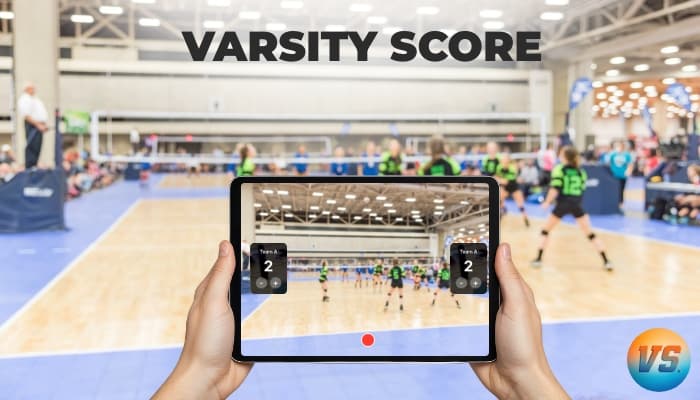
Record & Keep Score for Volleyball
Free on iPhone
Capture every rally with a live set-based score overlay, team logos, and one-tap streaming. Records offline in any gym.
Varsity Score is a free iPhone and iPad app that records volleyball games with a live score overlay burned directly into the video. Set scores, team names, team logos, and the current set number appear on screen in real time as you record — no editing needed afterward. It uses rally scoring with set-based tracking built for volleyball: track each set independently, see the full set history, and start the next set with one tap. Recording works entirely offline, which matters in school gyms with no WiFi. When the match ends, the video is already in your iPhone Photos app, ready to share. The app is free to download on the App Store. One iPhone or iPad is all the equipment you need.
How Varsity Score Handles Rally Scoring
Volleyball uses rally scoring: every rally ends with a point, no matter who served. Varsity Score's overlay updates with a single tap after each rally. Sets run to 25 points (win by 2), and the deciding set goes to 15. The app tracks each set score independently and shows the current set number on the video. When the match is over, any viewer can see the exact score at every moment of every set — no separate scoreboard photo required.
- → Set-by-set rally scoring with one-tap points
- → Team names, team logos, and colors on the overlay
- → Offline recording for gyms with no WiFi
- → Score-only mode for a big-screen scoreboard without video
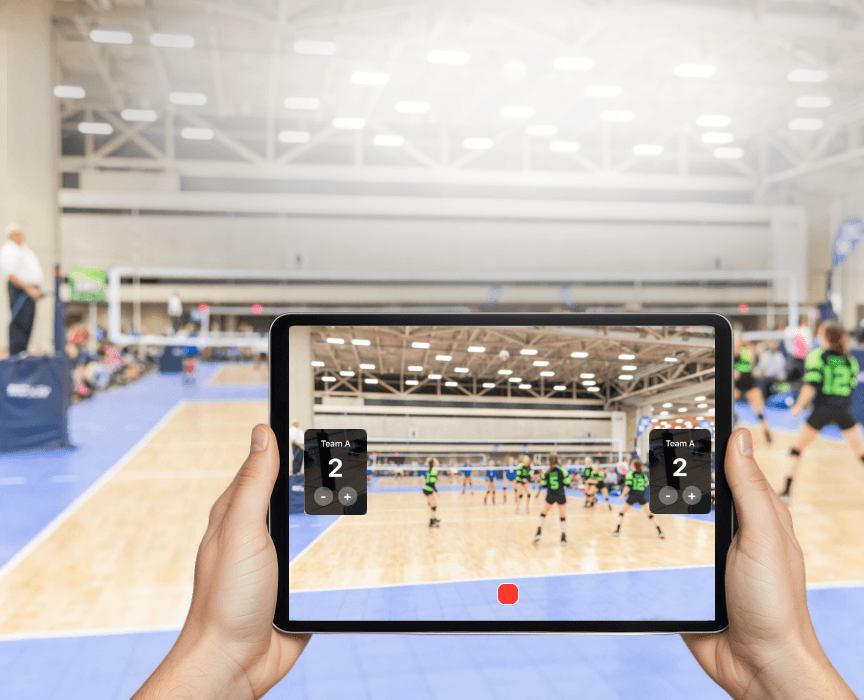
Record a Full Volleyball Match on One iPhone
A standard varsity volleyball match runs three to five sets and usually lasts 60 to 90 minutes. Varsity Score records the entire match in a single file on one iPhone or iPad at 60fps HD. Mount an iPad on a tripod at the end line and you can use your iPhone as a remote control to update the score from the bench — without ever touching the camera.
Prefer to keep score without filming? Score-only mode turns your device into a full-screen scoreboard with team names, logos, and colors — useful for the bench, the scorer's table, or a livestream graphic. See the volleyball scoreboard app page for details.
How It Compares for Volleyball
vs. the iPhone Camera: the camera records clean video, but with no score on it. Varsity Score adds the live set-based score, team names, and logos.
vs. Hudl & Hudl Volleymetrics: those are paid, club- and recruiter-tier film-analysis platforms. Varsity Score is free to download and focused on recording the game with the score visible. See the full Hudl comparison →
vs. GameChanger: GameChanger treats volleyball as a secondary sport and needs a coach/team account. Varsity Score is volleyball-first and records video with the score burned in. See the full GameChanger comparison →
Volleyball Questions
What is the best free app to record volleyball games on iPhone?
Varsity Score is a free iPhone and iPad app that records volleyball games with a live score overlay. Set scores, team names, and the current set number display on the video in real time. It records offline in HD 60fps, saves to your Photos app, and is free to download. Available on the App Store (ID: 6755207503).
Does Varsity Score support volleyball set scoring?
Yes. Varsity Score is built around set-based rally scoring. You track each set independently — tap once per point. The overlay shows the current set number and each team's score. When a set ends, you start the next set with one tap and the set history stays visible. Sets run to 25 (win by 2), with the deciding set to 15.
How does Varsity Score compare to Hudl Volleymetrics for recording volleyball?
They serve different needs. Varsity Score is a free iPhone app focused on recording games with a live score overlay — set scores, team names, and set number appear on the video in real time. Hudl Volleymetrics is a paid subscription platform for post-game film analysis, tagging, and recruiting. For clubs and parents who want a shareable game recording without a subscription or technical setup, Varsity Score is the simpler choice.
Can I record a full 5-set volleyball match with Varsity Score?
Yes. Varsity Score records continuously for the full duration of a match. A standard five-set match runs roughly 90 to 120 minutes, captured in a single recording session on one iPhone or iPad at 60fps HD. The video saves directly to your Photos app when the match ends.
Does Varsity Score work in a gym with no WiFi?
Yes. Varsity Score records entirely offline — no internet is needed to record, score, or save the video. The file goes straight to the iPhone Photos app. An internet connection is only needed if you choose to stream the match live.
Start Recording Your Next Match
Free to download. Save to Photos and share with players, parents, and coaches in minutes.
Download on the App Store