How to Keep Score at a Volleyball Game
Rally scoring, set lengths and a simple routine for keeping an accurate volleyball score, plus a free web scoreboard for any phone, tablet or laptop.
Varsity Score Team · October 5, 2026 · 4 min read
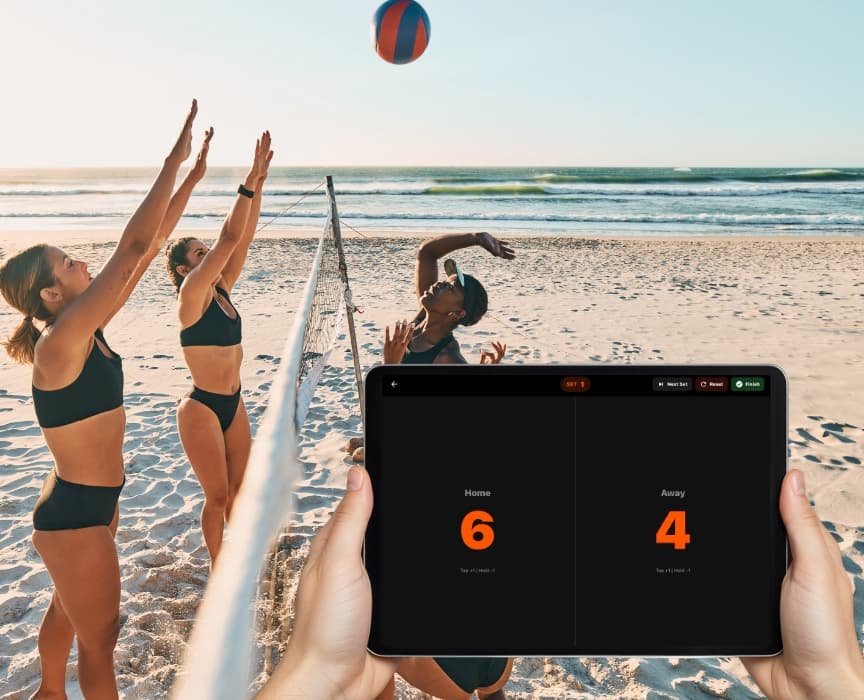
Keeping score at a volleyball game comes down to three things: knowing that every rally scores a point, knowing how long a set lasts, and having a scoreboard you can update without taking your eyes off the court. Here is how to do all three.
Every rally scores a point
Volleyball uses rally scoring. Whichever team wins the rally gets the point, no matter who served. The team that wins the point also serves next.
That makes the score easy to follow once you stop thinking about serves: watch where the ball lands, add one to the team that won the rally, and move on.
A few calls that trip people up:
- Ball lands on the line: it counts as in. Point to the team that hit it.
- Net or antenna touch, four hits, a lift or a double: point to the other team.
- Service error: a serve into the net or out of bounds is a point for the receiving team.
- Replays: if the officials call a replay, nobody scores. Don't change the score until the next rally ends.
When in doubt, follow the referee's signal and the official scoreboard, then adjust yours to match.
How long is a set?
Most high school and club matches use these lengths:
- Regular sets are played to 25 points.
- The deciding set (the third set in a best-of-three, or the fifth in a best-of-five) is played to 15 points.
- You must win by 2. At 24–24 the set keeps going until one team leads by two, so 26–24 or 31–29 are both normal.
Tournaments sometimes change this. Pool play might be two sets to 25, or one set to 21 or 28 to keep the schedule moving. Check the event's format before the first serve so you know when a set is really over.
A simple routine that keeps you accurate
Scorekeeping goes wrong when you look away, get distracted by a great dig, or try to remember the score instead of recording it. This routine keeps you honest:
- Write the team names first. Put them on the same sides as the teams on the court, and swap them when teams switch sides between sets.
- Record the point the moment the rally ends. Don't wait until the next serve.
- Say the score in your head when the server is ready. Servers' teams usually call the score too. If yours is different, you'll catch it immediately.
- Close each set before starting the next. Save the final score of the set, then start the new set at 0–0.
- Check against the official score at timeouts. It takes two seconds and fixes any drift before it matters.
Keep score on any device, free
You don't need a flip scoreboard or a notebook. There are two free ways to keep score with Varsity Score.
In your browser: no download, no account
Open varsityscoreapp.com/score on a phone, tablet or laptop and you have a full-screen scoreboard in seconds:
- Tap a team's side to add a point. Hold it, or tap the minus button, to take one back.
- Next Set saves the set score and starts the next one, and each team's sets won are counted for you.
- Undo, Swap sides and Full screen are one tap away.
- Pick each team's color (red vs blue by default) so everyone in the bleachers can read it.
- The screen stays awake, and the score survives a refresh if you accidentally close the tab.
On a laptop you can use the keyboard: the left and right arrow keys add points, Shift plus an arrow takes one away, N starts the next set and U undoes.
In the iPhone and iPad app
If you're already using the Varsity Score app, switch to Keep Score for a scoreboard without the camera. It works the same way (tap to add, hold to subtract), shows team names and logos, and saves every finished match to Recent Games. You can even control the score from a second iPhone.
When you want the video too, the same app records the match with the score on the video and can stream it so family can watch live.
Quick reference
- Rally ends: point to the team that won it.
- Score reaches 24–24 (or 14–14): keep playing until one team leads by 2.
- Set ends: save the set score and start the next at 0–0.
- Teams switch sides: swap sides on your scoreboard.
- Your score doesn't match the official one: fix yours at the next timeout.
Keeping score is one of the most useful things a parent can do from the stands, and it's a lot easier with a scoreboard that's already in your pocket. Open the web scoreboard at your next game and give it a try.