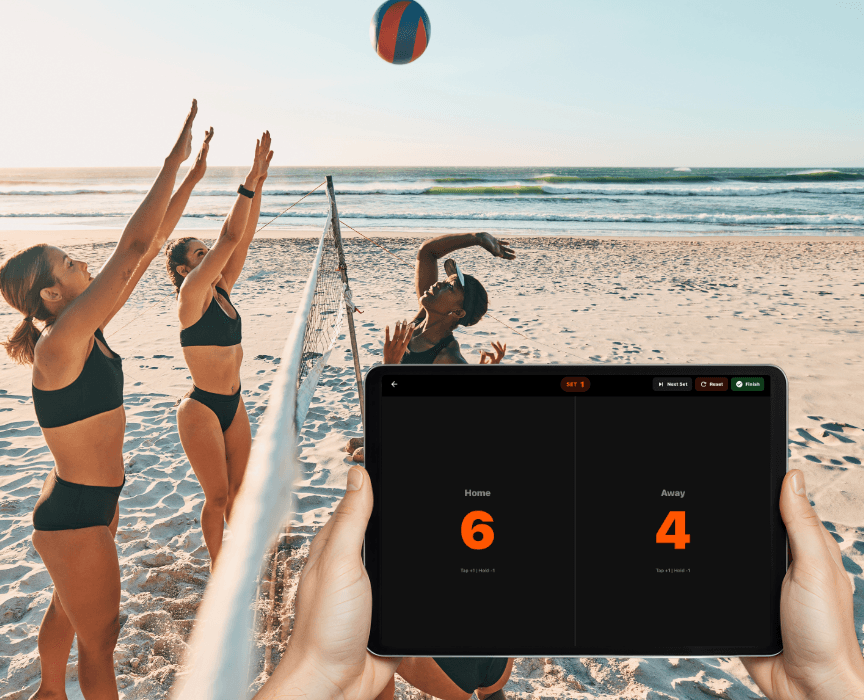
What a digital volleyball scoreboard needs to do
A flip scoreboard shows two numbers. Volleyball needs more: a score for the current set, a set count, and a clear way to move to the next set without losing the last one. A good volleyball scorekeeping app handles those three things without making the scorer think.
Varsity Score is volleyball-first. It uses set-based rally scoring: every rally ends with a point no matter who served, sets run to 25 and must be won by 2, and the deciding set goes to 15. You tap the scoring team once per rally. When a set ends, you start the next one with one tap and the set history stays visible.
Team names, team logos and team colors are part of the display, so the screen reads like a real scoreboard rather than a generic counter.
Score-Only Mode: the scoreboard without video
Score-Only Mode is the standalone scoreboard inside the app. It tracks the match without recording any video, so it saves storage and battery on your device.
- A full-screen scoreboard display
- Set-based scoring built for volleyball
- Team names, logos and colors
- One tap per point, with the current set number on screen
It is a good fit for coaches, referees, a scorer's table, or a bench that just wants to know the score at a glance.
Replacing a flip scoreboard at a high school
A high school program that wants to retire the flip scoreboard needs three things: it must be quick to learn, it must survive a gym with weak Wi-Fi, and it must handle multi-set matches. This app covers all three.
- Download Varsity Score from the App Store and open it on an iPad or iPhone.
- Enter both team names and choose colors or logos.
- Pick Score-Only Mode if you do not want video.
- Tap the scoring team after each rally.
- Tap New Set between sets. Points reset to 0-0 and the set counter moves up.
Scoring works completely offline, so a gym with no Wi-Fi does not matter. The main action is a single tap, which keeps it easy for volunteers.
Showing the score to the gym
Searchers often ask how to display live scores on a projector or TV during a match. Score-Only Mode is a full-screen scoreboard, which is what you want on a large screen. Put an iPad where the crowd can see it, or mirror it to a bigger display.
To be clear about what is built in: the app gives you the full-screen scoreboard. Connecting your device to a projector or TV is done with your device's standard screen mirroring or an Apple display adapter. That is an iOS capability, not a Varsity Score feature, so test the connection before the first serve.
If you want one person on the bench and another updating the score, pair an iPhone with an iPad. The iPhone acts as a remote control for the iPad, so the scorer can sit anywhere courtside. See the features page for how remote control works.
Score-only or recording: which should you use?
Both modes use the same scoring. The difference is whether the match is filmed.
| Situation | Use |
|---|
| Practice, scrimmage, or a quick league night | Score-Only Mode |
| Low battery or low storage | Score-Only Mode |
| Scorer's table or bench scoreboard | Score-Only Mode |
| You want film to review or share | Record with overlay |
| Families who cannot attend | Record and stream |
Recording burns the set score, team names and set number into every frame, so the finished video is ready to share from your Photos app. The step-by-step is in the record a volleyball match guide.
A live volleyball score app for family and fans
If people at home want the score, stream the match. Games you stream through Varsity Score appear on varsityscoreapp.com/watch with the live score overlay. Viewers watch in any browser with no app and no account. Live streams go through Varsity Score servers, and replays are kept so people can rewatch.
Streaming needs an internet connection; scoring and recording do not. Compare other options on our best volleyball app page, or see the full volleyball overview.