Varsity Score vs Sideline HD
The faster way to
stream volleyball.
SidelineHD is a free youth sports streaming app with team rosters, scheduled games and automatic highlights. Varsity Score is a free-to-download iPhone and iPad app you set up in a couple of minutes: a free sign-in, two team names, tap record, and the score is on the video. Here is an honest breakdown.
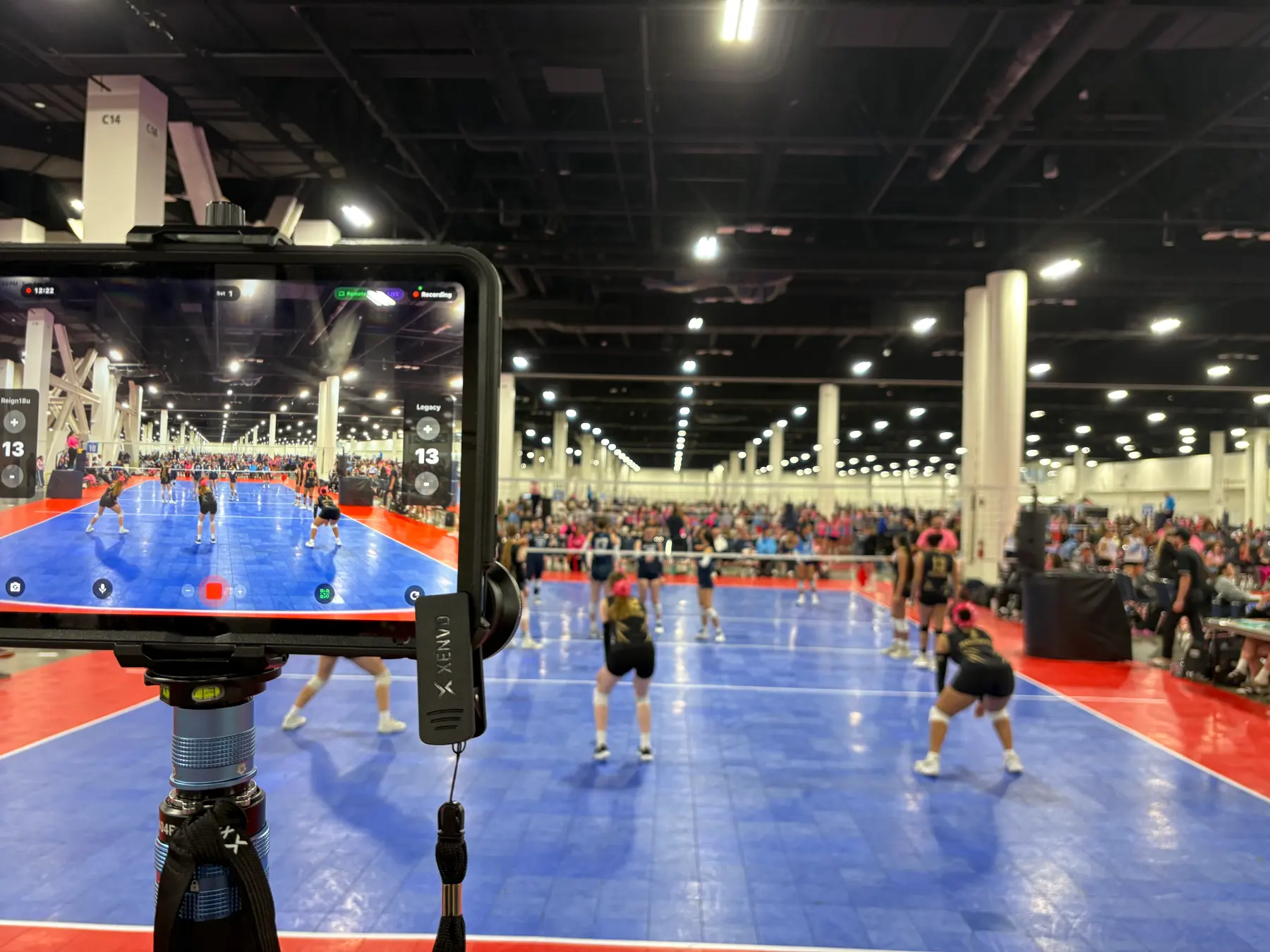
Both stream for free. The difference is what happens before the first serve. SidelineHD has you build a team, a roster and a game, then score on a second device. Varsity Score asks for a quick sign-in and two team names on the device you are already holding.
Setup side by side
From download to first serve.
Steps for a parent streaming a volleyball match for the first time. SidelineHD's steps follow its own quick-setup checklist.
Varsity Score
5 steps
- 1
Download Varsity Score
Free on the App Store for iPhone and iPad.
- 2
Sign in
With Apple, Google or an email code. No phone number, team or roster needed.
- 3
Enter both team names
Logos and colors are optional.
- 4
Tap record or go live
The score overlay is on the video from the first serve.
- 5
Tap the score as you film
Same device, or an iPhone remote if an iPad is on the tripod.
SidelineHD
6 steps
- 1
Download the app and create an account
Verify a US or Canadian phone number by text, then add your name and email.
- 2
Create a team
Pick the sport, then enter the team picture, name and level.
- 3
Add your roster
Enter each player, or import from TeamSnap.
- 4
Schedule the game
Its help center says you cannot go live without creating a game.
- 5
Go live from the game card
On the streaming device, tap Go Live, choose the sidelineHD app and confirm.
- 6
Score on a second device
Scoring drives the scoreboard and the highlight clips.
Without the paid team plan, SidelineHD's own sidelineLIVE page shows the stream only while it is live. To let families rewatch, its help center suggests linking YouTube, which has a 24-hour wait before a channel can go live the first time, or Facebook, where a Page must be at least 60 days old with 100 followers. Varsity Score keeps replays on its watch page with nothing to link.
Side by Side
Varsity Score vs Sideline HD
| Feature | Varsity Score | Sideline HD |
|---|---|---|
| Cost to stream and watch | Free to download; viewers watch free | Free to stream; viewers watch free |
| Set up before the first match | A free account and two team names | Account, team, roster and a scheduled game |
| Account needed | Yes, free; sign in with Apple, Google or email, no phone number needed | Yes; a US or Canadian phone number is required |
| Devices for one match | One iPhone or iPad (an iPhone can remote-control an iPad) | One device streaming and a second device scoring |
| Score overlay | Burned into the recording and the stream | Added to the livestream; not shown on the camera screen |
| Recording on the device | Full HD recording with the score, saved to Photos, works offline | Optional backup while streaming; off by default, no scoreboard |
| Where viewers watch | varsityscoreapp.com/watch (listed automatically), Twitch, Facebook | Team's sidelineLIVE link, Facebook, YouTube; no team search |
| Replays | Kept on the watch page | sidelineLIVE is live-only; rewatch on linked Facebook or YouTube, or full-game replays with PRO FOR TEAMS |
| Automatic highlights and player stats | No | Yes, from the scorekeeper's taps; volleyball clips need sidelinePRO |
| Paid plans | See the App Store listing for current pricing | sidelinePRO $5.99/mo or $35.99/yr; PRO FOR TEAMS $299.99/yr ($249.99 promo) |
| Devices and cameras | iPhone and iPad only | iOS and Android apps, plus Mevo, GoPro, Larix and other RTMP cameras |
| Sports | Built around volleyball's set-based scoring | Baseball, softball, volleyball, basketball, hockey, soccer, lacrosse, water polo |
Swipe sideways to see the full table.
SidelineHD details come from its help center, its volleyball page and its App Store listing, checked November 11, 2026, and are summarized in good faith. Prices are in US dollars and can change, so check SidelineHD directly for current specifics.
Which should you choose?
Depends on what you need from the stream.
Choose SidelineHD if
- You want automatic highlight clips and player stats, such as kills, aces and blocks, built from the scorekeeper's taps.
- Your team will maintain a roster and a game schedule, and has a second person to keep score.
- Your camera person uses Android, or you stream from a Mevo, GoPro or another RTMP camera.
- You want player profiles families can share, or clips sent to a SportsRecruits profile.
- Your club streams several sports, not just volleyball.
Choose Varsity Score if
- You want to be recording or streaming a couple of minutes after downloading the app.
- You are filming alone, with one iPhone or iPad, and want to keep score on the same device.
- You want the score burned into the video you keep, not only into the stream.
- You want to record in a gym with no Wi-Fi or signal, then share the file from Photos.
- You want families to find the game at one web address without asking for a team link.
If highlights and stats are the point, SidelineHD does more. If the point is getting a scored volleyball video with the least setup, Varsity Score is the shorter path.
Why it feels faster
Less to build before the match.
No roster, no schedule.
Varsity Score does not ask you to create players or schedule a game. Type the two team names on the court and start. That also makes it easy to film a match you did not plan to film, like a tournament pool game on a different court.
One device does the whole job.
The device that films is the device that keeps score. One tap per rally point and the overlay updates in about a second. If the iPad is on a tripod, pair an iPhone as a remote and score from the bleachers.
The score is in the file you keep.
Recordings save to your Photos app with team names, set number and score already on screen, and recording works offline. Nothing to edit before you share the clip in the team chat.
Families find the game without a link.
Streamed games show up automatically at varsityscoreapp.com/watch. Viewers need no app and no account, and replays stay there afterward. The livestream volleyball guide covers camera placement and connection tips.
What you actually get
The score is on the video.
Team names, set number and live scores are burned into the recording as it happens, and the same overlay goes out on the stream. No scoreboard to add later, no second device required.
Download on theApp Store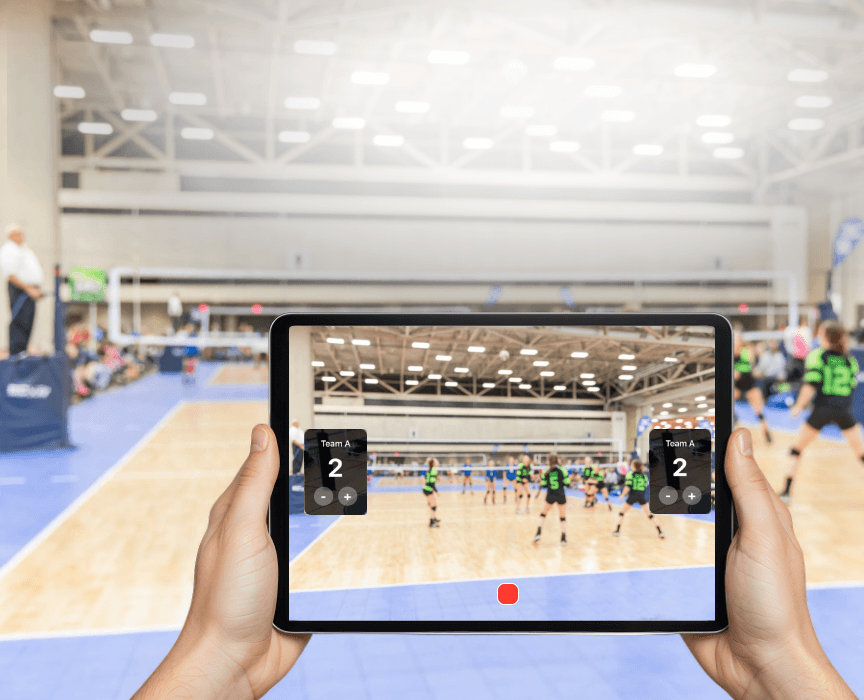
Common questions
Straight answers.
Is Varsity Score a good Sideline HD alternative for volleyball?
Yes, if your goal is to get a volleyball match recorded or streamed with the score on screen as quickly as possible. Varsity Score runs on one iPhone or iPad: sign in with Apple, Google or email, enter two team names and tap record. SidelineHD asks for an account, a team, a roster and a scheduled game before you go live, and its setup guide calls for a second device to keep score. In return, SidelineHD gives you player highlight clips and stats that Varsity Score does not.
Is Sideline HD free?
Streaming and watching on SidelineHD are free. Paid plans unlock highlights: for volleyball, viewing player clips requires sidelinePRO at $5.99 a month or $35.99 a year, and the team plan, sidelinePRO FOR TEAMS, is $299.99 a year (listed at $249.99 as a limited-time promotion when we checked on November 11, 2026). Varsity Score is free to download on the App Store, and the App Store listing shows current pricing details.
What do I need to start streaming with SidelineHD compared with Varsity Score?
SidelineHD's quick-setup checklist is: create an account (a US or Canadian phone number is required), create a team, add your roster, schedule the game, then go live, with one device streaming and a second device scoring. Varsity Score needs one iPhone or iPad: sign in with a free account (Apple, Google or email, no phone number), enter both team names and tap record or go live.
Does the score overlay end up in the saved video?
With Varsity Score, yes. The team names, set number and live score are burned into the recording that saves to your Photos app, and the same overlay appears on the stream. SidelineHD adds its scoreboard to the livestream itself. Its optional backup recording on the phone is a clean copy with no scoreboard or graphics, according to its help center, and you do not see the overlay on the camera screen while streaming.
Do viewers need an account to watch?
Not on either one. SidelineHD viewers watch on the team's sidelineLIVE link, Facebook or YouTube, but SidelineHD has no team or game search, so families need the link from someone on the team. Varsity Score games appear automatically at varsityscoreapp.com/watch, viewable in any browser with no app or account, and replays stay there so people can rewatch. You can also stream to Twitch or Facebook.
Does Varsity Score work on Android or with a GoPro or Mevo?
No. Varsity Score is an iPhone and iPad app, and it records with the device's own camera. If your camera person uses Android, or you want to stream from a Mevo, GoPro or another RTMP camera, SidelineHD supports those setups and Varsity Score does not. For an iPad on a tripod, Varsity Score lets an iPhone act as a remote so you can keep score from anywhere on the sideline.
More comparisons: Varsity Score vs BallerTV. See every capability on the features page, or follow the livestream volleyball guide.

Two team names. Tap record.
Free to download for iPhone and iPad. Bring it to the next match and have the score on the video before the first serve.
iOS 15.0 or later, iPhone & iPad