iPhone or dedicated camera?
Dedicated cameras are not bad. They solve different problems. A phone is the simplest option because it records, scores and streams from one device. A dedicated camera can win on lens choice or on filming without an operator.
| What you need | iPhone or iPad | Dedicated camera |
|---|
| Cost to start | You already own it | Extra purchase |
|---|
| Score on the video | Yes, with Varsity Score | Usually added later or by other tools |
|---|
| Live streaming | Yes, from the same device | Depends on the camera |
|---|
| Hands-free filming | Fixed on a tripod, or remote-controlled | Some AI cameras film on their own |
|---|
| Very wide fixed view | Limited by the phone lens | Some cameras and mounts do this better |
|---|
| Sharing the file | Straight from Photos | Often a transfer or upload first |
|---|
If nobody is available to run the camera, an autonomous camera may fit better. We compare one in Varsity Score vs Veo.
Where to put the camera
Use an end-line corner, elevated as high as the gym allows. A top bleacher row is ideal. From there you see the net, both sidelines and the ball from serve to attack.
Avoid the sideline center. It feels natural from the stands, but on video the net splits the court and you lose depth on attacks. The corner angle gives a broadcast-style diagonal that reads well on a phone screen.
If you are stuck low on a sideline, frame wide enough for both teams. Court context matters more than a close-up of the ball for family viewers.
Tripod height and mount
Height is the biggest upgrade you can make. A tripod that lifts the phone above the heads of people standing behind it keeps the court clear. If the gym has no bleachers, a taller tripod or an elevated spot behind the end line helps.
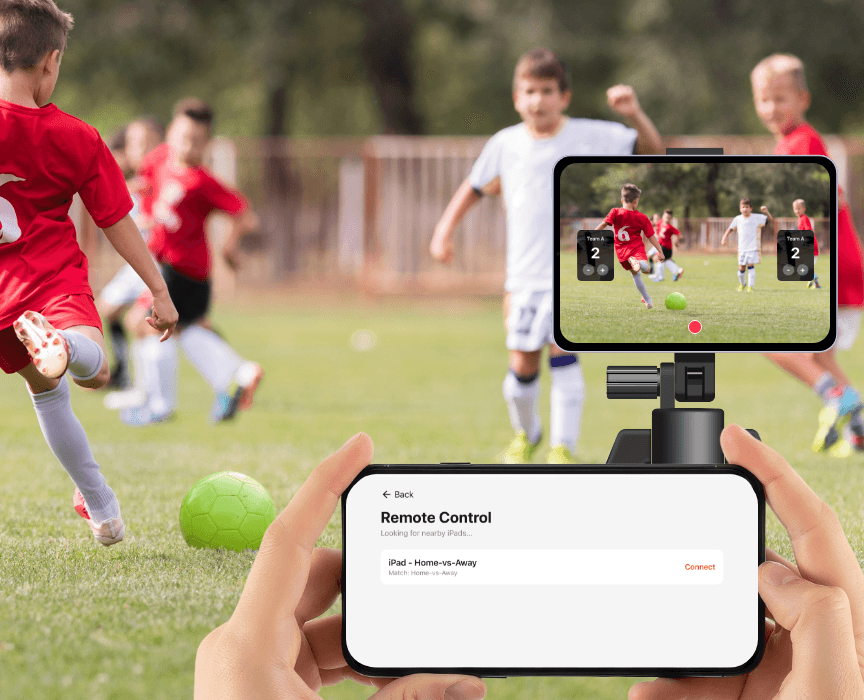
Choose a stable mount that holds the device in landscape and does not drift. Lock it off and avoid touching it during play. If you use an iPad as the camera, an iPhone can act as a remote control so you never bump the tripod to update the score. See the features page for how remote control works.
Battery and storage
Recording a full match is a long job for a phone. Start with a full charge and bring a charger or battery pack. Streaming at the same time uses more power.
Free up storage before the match. Varsity Score records in HD at 60fps and saves to your Photos app, so a long match needs real space. If battery or storage is low and you only need the score, use Score-Only Mode, which tracks the match without video. More on that in the volleyball scoreboard app page.
Audio
A gym is loud: whistles, shoes, a band, a crowd. A phone microphone will capture all of it. That is fine for family and film-review use, where the picture and the score matter more than clean sound.
If you want commentary, an external microphone is an optional upgrade. Skip it unless you have a reason.
Why record on iPhone with the score burned in
Video without a score forces viewers to guess what set it is. Adding it later takes editing time most coaches and parents do not have.
Varsity Score puts the set score, team names and set number on every frame as you record, so there is no editing step. Stop the recording and the video is in Photos. Add live streaming and the same setup works for relatives watching at varsityscoreapp.com/watch. Our step-by-step record a volleyball match guide and the livestream guide cover the app side. For app options, see the best volleyball app page or the volleyball overview.