Guide
Auto-tracking cameras for volleyball.
Which apps, mounts and cameras actually follow the play, what they cost, and when a fixed tripod is the better call.
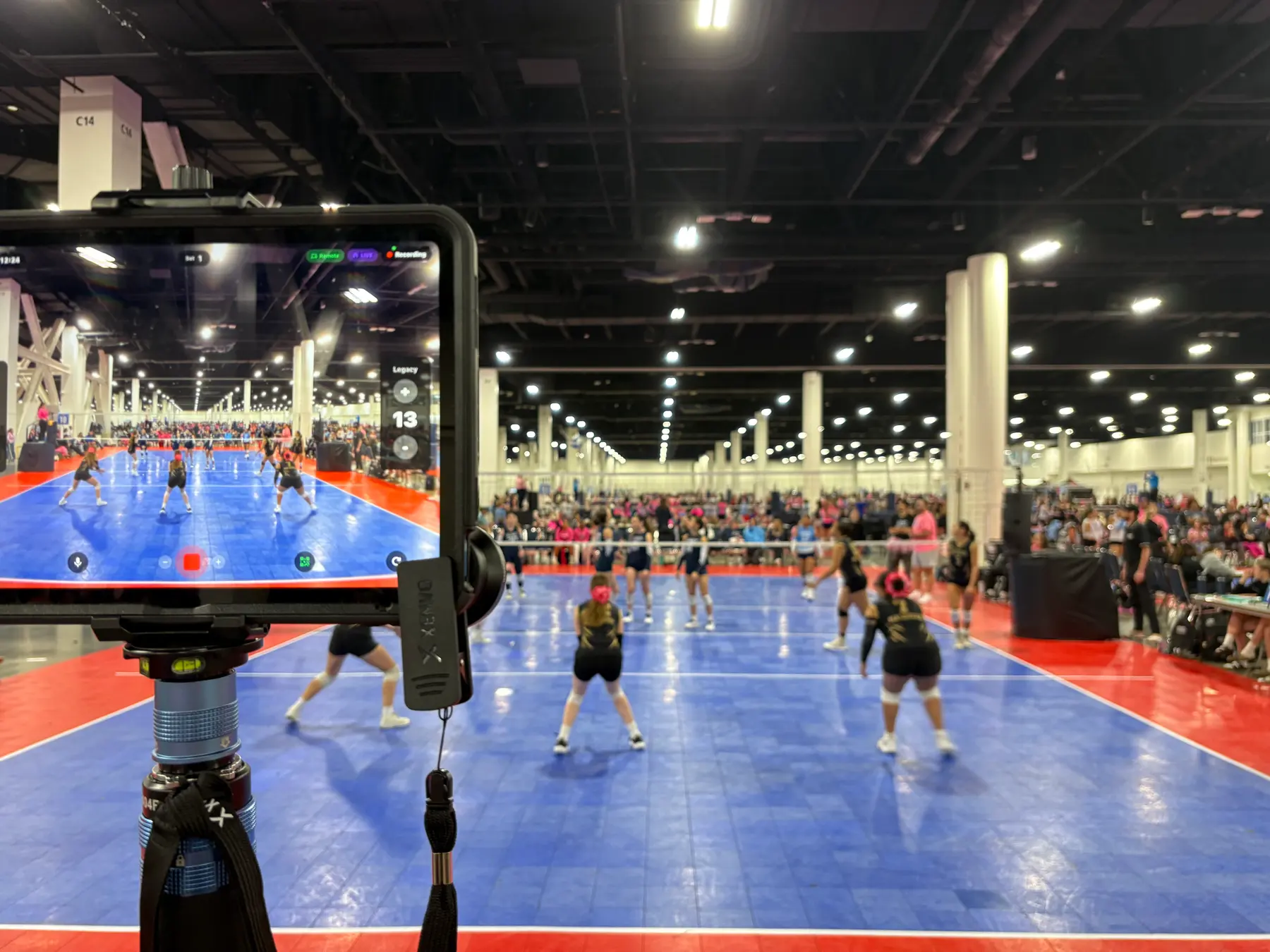
To record volleyball with automatic tracking you need hardware that moves or crops the shot: a motorized phone mount such as XbotGo or an Apple DockKit stand, or an AI sports camera such as Veo, Pixellot or XbotGo Falcon. For a single indoor court, a fixed tripod at an elevated end-line corner often captures more of each rally than a camera that pans. Varsity Score has no built-in tracking; it puts the live score on whatever your iPhone or iPad records.
The three kinds of auto-tracking
AI sports mounts for your phone. You clip your phone into a motorized base that pans to follow the play, controlled by the maker's app. XbotGo Chameleon is the best-known example. In a 2025 app and firmware update, XbotGo added a volleyball tracking mode and labeled it beta.
Apple DockKit stands and gimbals. DockKit is Apple's system for motorized iPhone stands, available from iOS 17. The iPhone does the subject detection and the stand turns to keep people in frame. Examples include the Belkin Auto-Tracking Stand Pro and the Insta360 Flow 2 Pro. They are built for creators and video calls, not sports, and they track people rather than a ball.
All-in-one AI sports cameras. These have their own lenses, usually very wide, and use AI to follow the action or crop a virtual follow-cam from a wide view. XbotGo Falcon is a consumer option with a dedicated volleyball mode. Veo, Pixellot and Hudl Focus are aimed at clubs, schools and venues, typically with software plans. PTZ streaming cameras such as the OBSBOT Tail 2 also offer AI tracking, but they are production gear more than a parent's bag item.
Not every tracking product covers volleyball. Pivo's comparison page lists racket sports and horse riding, not volleyball. Trace's help center says its AI is optimized for soccer and not yet for volleyball.
Tracking options compared
Volleyball support and prices below are what each maker publishes, checked November 2026. Prices change often and vary by bundle, so confirm on the maker's site before you buy.
| Option | Examples | Volleyball support | What records | Approx. price (USD) |
|---|---|---|---|---|
| AI sports mount for your phone | XbotGo Chameleon | XbotGo added a volleyball tracking mode in 2025, labeled beta | Your phone, in the maker's app | From about $350 |
| Apple DockKit stand or gimbal | Belkin Auto-Tracking Stand Pro, Insta360 Flow 2 Pro | No volleyball mode; follows people (faces and bodies) | Your iPhone, in compatible camera apps | About $160 to $180 |
| All-in-one AI sports camera | XbotGo Falcon | Volleyball mode with sideline setup guidance | Its own camera | About $800 list |
| Team and club AI camera | Veo Cam 3, Pixellot, Hudl Focus | Veo and Pixellot list volleyball; Hudl points volleyball to Focus Indoor | Its own camera, plus a software plan | Quote or subscription |
| Fixed tripod, no tracking | iPhone or iPad with Varsity Score | Whole court from an elevated corner | Your phone or iPad | App is free to download |
Swipe sideways to see the full table.
For a closer look at the club-camera route, see Varsity Score vs Veo. If you are weighing phone apps that put the score on the video, see Varsity Score vs BT Volleyball Camera.
Can you use Varsity Score on a DockKit stand?
It should work. Apple explains that DockKit motor control and subject tracking run at the system level, so apps that use the standard iOS camera can use a DockKit stand without extra code. Varsity Score records through the iOS camera, so a DockKit stand should keep people in frame while the app records with the score overlay.
Three caveats. DockKit needs iOS 17 or later and a compatible stand. It follows people, not the ball, so with twelve players on court it may settle on one player or a group and swing between them. And we have not tested every stand. Test it at a practice before you rely on it for a match.
The honest limits of auto-tracking in volleyball
Volleyball is a hard sport to follow automatically. The ball is small and fast, it crosses the net several times a rally, and the play often switches sides faster than a motor can pan. A tracker that lags even briefly can miss the attack it was meant to catch.
The net, antennas, referees and blockers also get in the way. Person trackers can lock onto the wrong player, the up referee, or someone walking past the camera.
Follow-cam framing also changes what you can review. A camera that pans to one side hides the other team's rotation, coverage and transition. For film review, coaches usually want both sides in every frame. Following a single player for recruiting clips is a different job, and a tracking mount helps more there.
When a fixed tripod beats tracking
A volleyball court is 18 by 9 meters, small enough to fit in one wide shot from the right spot. Put an iPhone or iPad on a tall tripod at an end-line corner, as high as the gym allows, and you see the net, both sidelines and every touch without anything moving. Our best camera setup for volleyball guide covers placement, height and battery.
A fixed tripod is usually the better choice when:
- You want full-match film for team review, with both sides always in frame.
- You can get height, such as a top bleacher row or a tall tripod behind the end line.
- You are filming indoors on one court, where a wide view already covers the play.
- You want nothing to drift, lose focus on the rally, or need recalibrating between sets.
- You would rather not buy, charge and carry a second device.
Tracking earns its place when you are stuck low on a sideline, filming beach or outdoor courts with no elevated spot, or want a tighter shot of one athlete. In those cases, pick a product that names volleyball as a supported sport and test it before match day.
Where Varsity Score fits
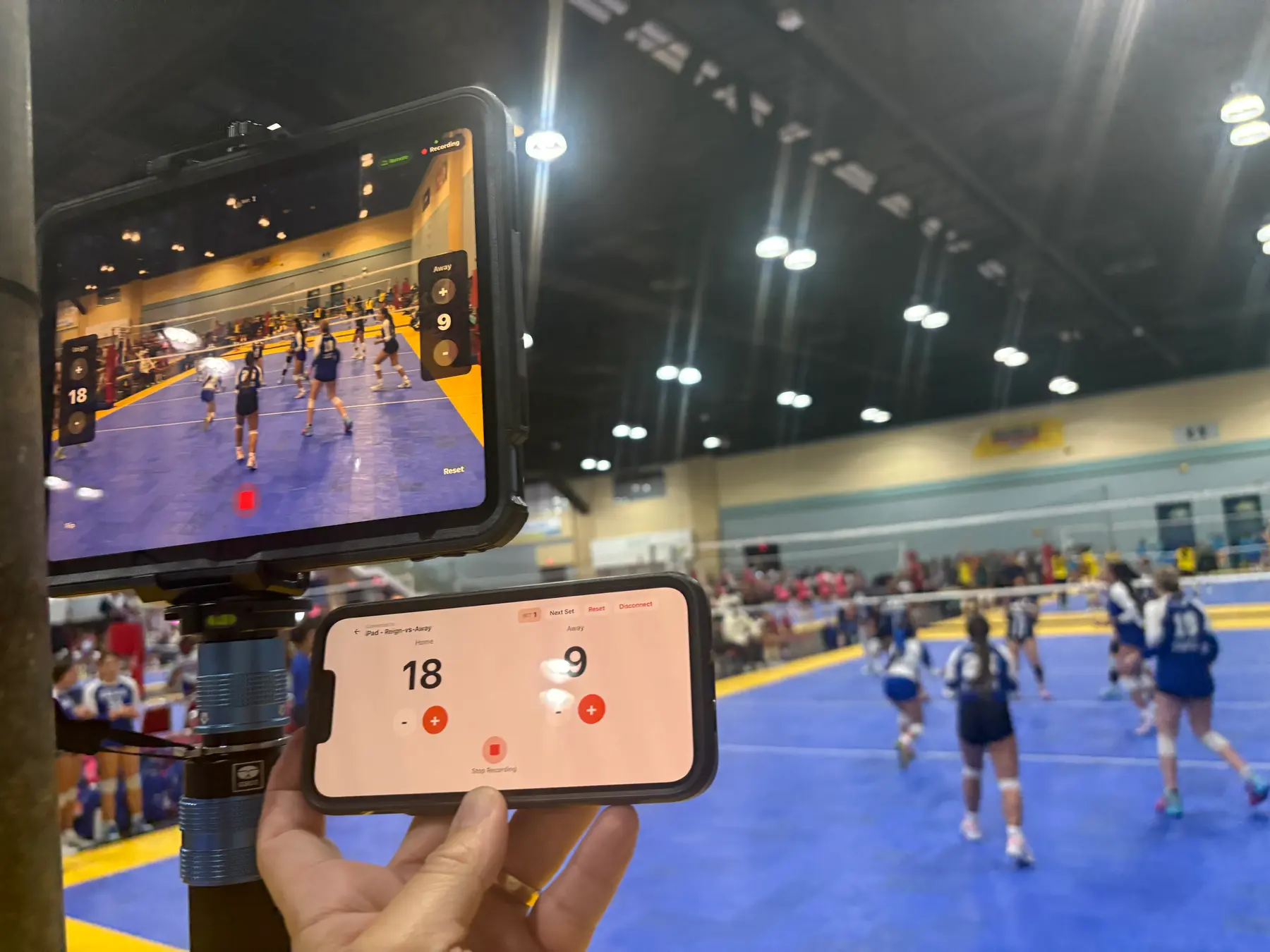
Varsity Score is a volleyball recording and scoring app for iPhone and iPad. It does not track the ball or move the camera. What it adds is the score: the set score, team names and set number are burned into the video as you record, so the file is ready to share when you stop.
The same device can stream live so family can watch at varsityscoreapp.com/watch. An iPhone can act as a remote control for an iPad recording, so you can keep score from the stands without touching the tripod. Recording works offline, and the app is free to download. For a wider look at app options, see the best volleyball app page or the full features list.
Common questions
Straight answers.
- Is there an app that records volleyball and automatically tracks a player?
- Not by itself. An app cannot physically turn your phone, so tracking needs a motorized mount or an AI camera. XbotGo pairs an app with a motorized mount and lists a volleyball mode. Apple DockKit stands follow people in camera apps that use the standard iOS camera. Expect the mount to follow a person or the play, not a single fast ball.
- Does Varsity Score have auto-tracking?
- No. Varsity Score does not move the camera or follow the ball. It records what the camera sees and burns the live set score, team names and set number into the video, with live streaming and iPhone remote control of an iPad. For one volleyball court, a fixed tripod at an elevated end-line corner usually covers the whole rally.
- Will Varsity Score work on an Apple DockKit stand?
- It should. Apple says DockKit tracking runs at the system level for apps that use the iOS camera, and Varsity Score records through the iOS camera. DockKit needs iOS 17 or later and a compatible stand. We have not tested every stand, and DockKit follows people rather than the ball, so test it at a practice before relying on it for a match.
- Is Veo a good camera for volleyball?
- Veo lists volleyball as a supported sport and says Veo Cam 3 follows the action on the court with no operator. It is aimed at clubs and schools. Veo does not publish prices on its volleyball page, and its editing and analysis software are paid add-ons. If you want the score on the video without editing, compare it with a phone setup first. See our Veo comparison.
- Do I need an auto-tracking camera to record volleyball?
- Usually not. A volleyball court is small enough that a wide, elevated view captures both teams, the net and the whole rally without moving. Tracking helps most when you film from a low sideline spot, want a closer shot of one player for highlights, or cannot get height. For full-match film review, a steady wide shot is easier to watch.
- What is the best camera system for volleyball games?
- For most parents and coaches, an iPhone or iPad on a tall tripod at an end-line corner, recording with a scoring app, is the simplest system. Clubs that film every match without a volunteer often move to an AI sports camera such as Veo, Pixellot or XbotGo Falcon. Pick based on who runs the camera and whether you need the score on screen.

Any camera angle. Score on every frame.
Free to download for iPhone and iPad (iOS 15.0 or later).
iOS 15.0 or later, iPhone & iPad